Activating a SIRIUS License for MassHunter Explorer Users
Users with a valid Agilent MassHunter (MH) Explorer license are eligible for a specialized SIRIUS license at no additional cost. This license supports up to three user accounts organized into a “Group”. The SIRIUS user account used to initialize the group becomes its permanent “Manager”. This individual is responsible for administration and occupies one of the three available seats.
Key Constraints:
- All group members must use email addresses from the same organizational domain.
- Once a user is added to a group, they cannot be removed or replaced.
- Initial activation must be performed on a Windows machine where MassHunter Explorer is installed and licensed.
The following steps should only be performed by the designated manager of your group.
- Step 1: Install SIRIUS:
Ensure MH Explorer is installed and activated on your local machine. Download and install the newest version of SIRIUS (6.3 or higher). -
Step 2: Register the Group Manager:
Launch the SIRIUS GUI. Sign in to your SIRIUS account. If you do not have one, complete the registration process first. Click theRegister Explorerbutton.
SIRIUS will verify your local MH Explorer license and automatically open the SIRIUS User Portal in your web browser.
-
Step 3: Create the SIRIUS License Group:
Log in to the SIRIUS User Portal with your SIRIUS account.
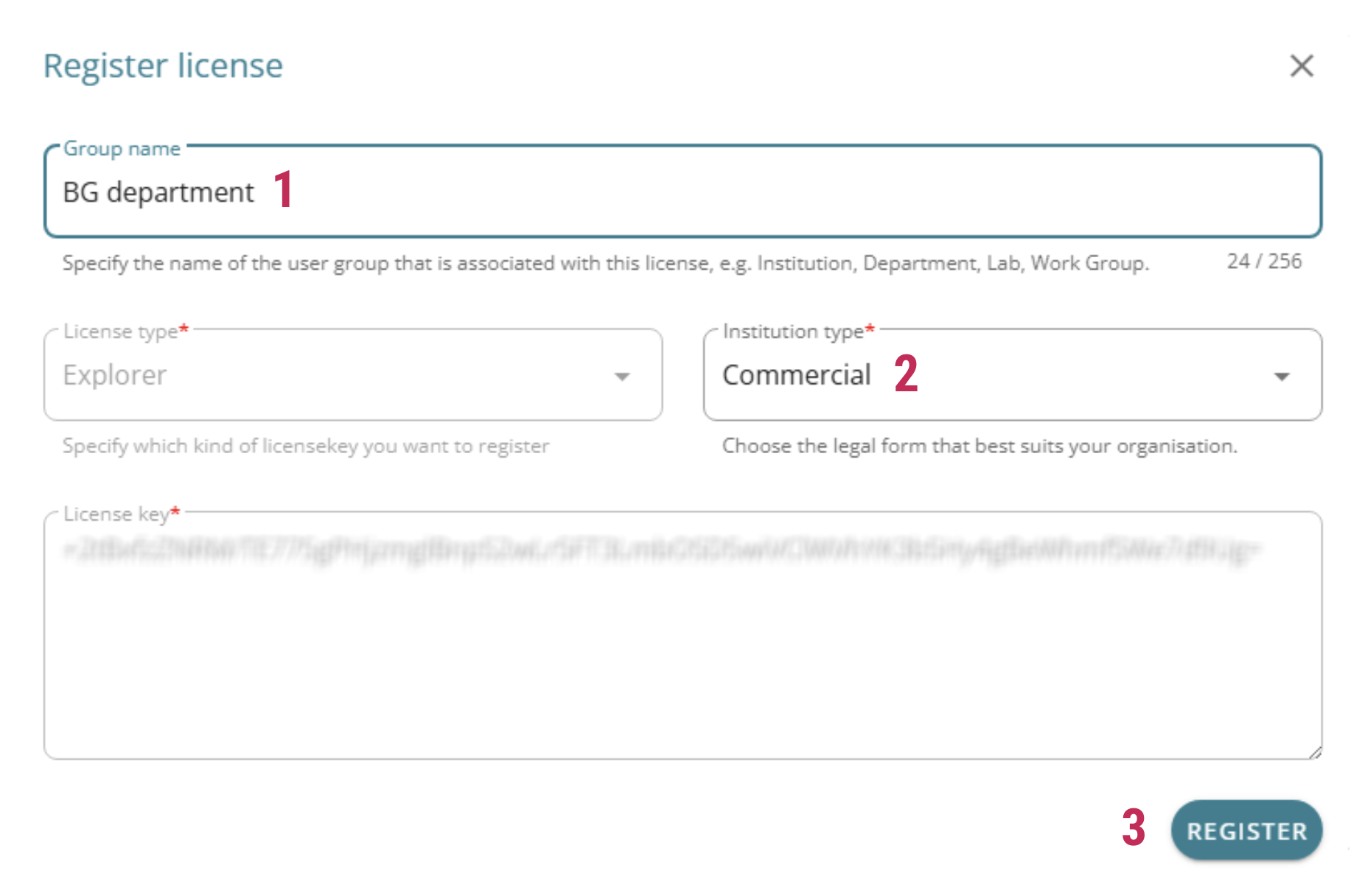
Provide a name for your SIRIUS License Group [1]. Select your Institution Type [2]. Click
Registerto initialize the group [3].
-
Step 4: Add Users to the Group:
In the User Portal, navigate toManage Groupsin the left sidebar. Locate your group and click theUsersicon on the right. Enter the email address of the colleague you wish to add. Before they can be added, the colleague must have already registered a SIRIUS account using an email address with the same domain as the Manager. Click
 ADD. Once added, a user account cannot be removed from your SIRIUS license.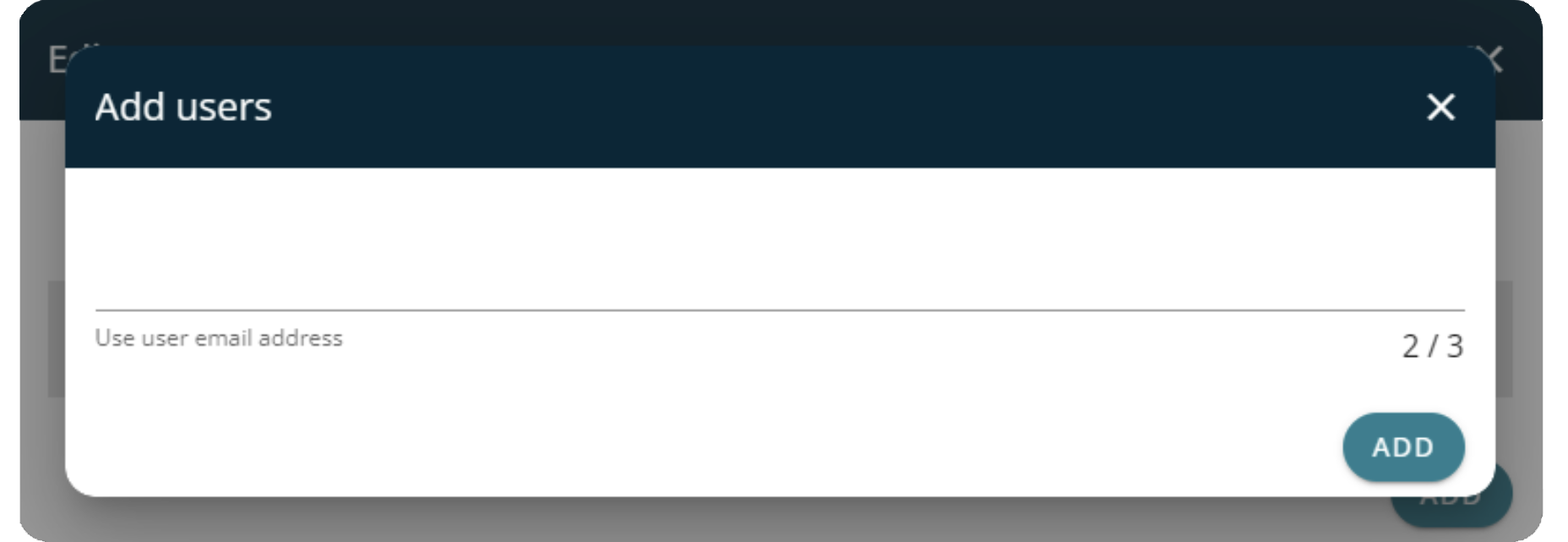
- Step 5: Deployment:
Once the activation and member assignment are complete, the three authorized users may log in to SIRIUS on any workstation (Windows, macOS, or Linux). A local installation of MH Explorer is no longer required for subsequent use.
Replacing users: If a user is leaving the group or company, we can replace them with a new person upon request.